Zer0

A private messenger, designed for phone and desktop.
Type
UI/UX design
Made for
Phone and desktop
Themes
Light and dark
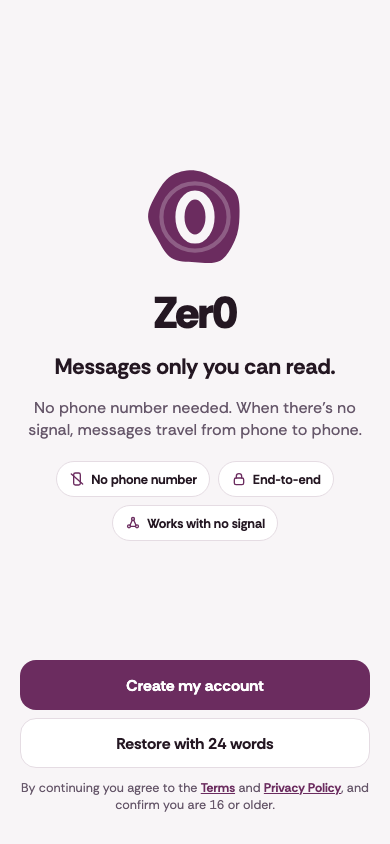
Fig. 01 — Zer0 in light and dark, with the welcome screen in the middle.

Scope

What we designed

  • Design system

  • Component kit

  • 53 phone screens

  • Android adaptation

  • 19 desktop screens

  • Light and dark

Screens

Phone and desktop

Onboarding

  • Zer0 welcome screen in light mode: the Zer0 logo, a short tagline, and buttons to create an account or restore one.
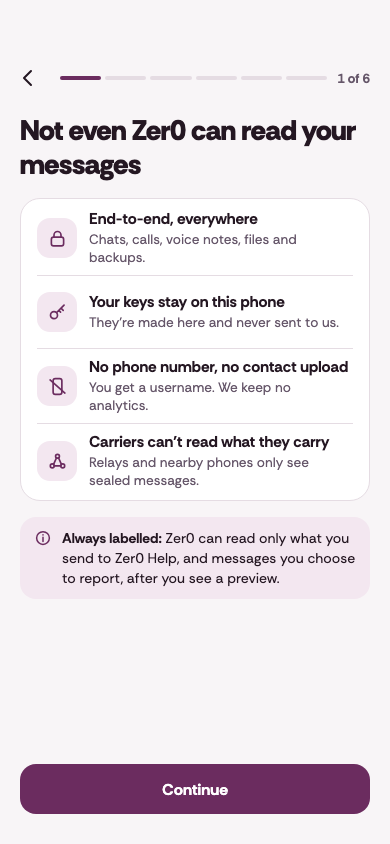
  • Onboarding screen in light mode about privacy, with four short points.
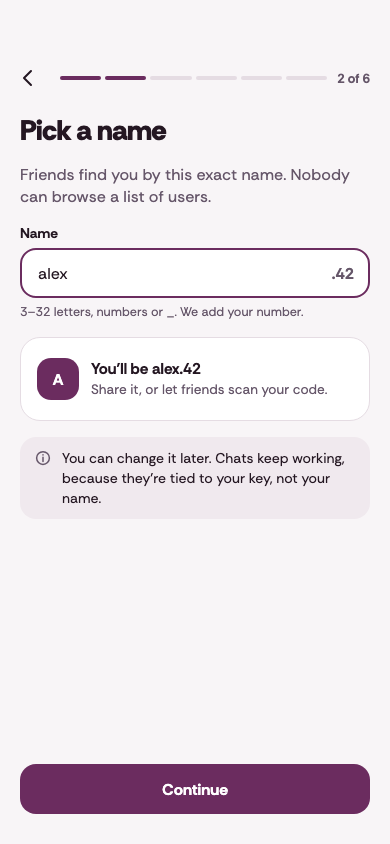
  • Onboarding screen in light mode for picking a name, with alex.42 entered.
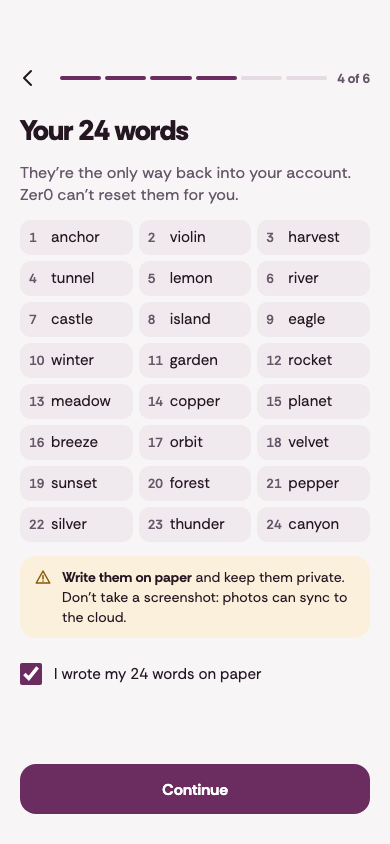
  • Onboarding screen in light mode headed Your 24 words, with the words in a numbered grid.
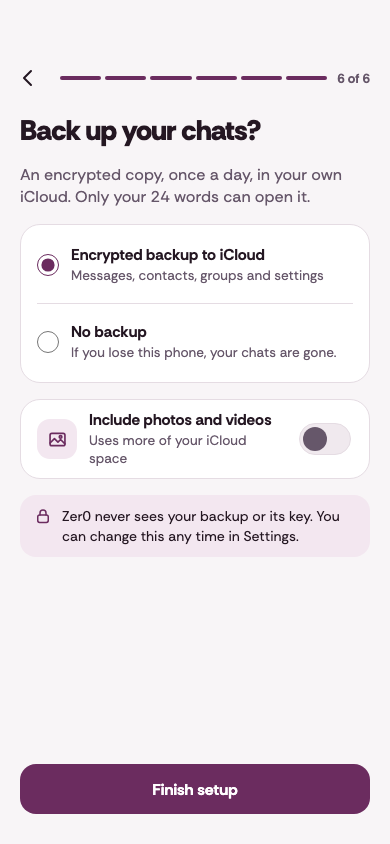
  • Onboarding screen in light mode headed Back up your chats?, with two backup choices.
Fig. 02 — Onboarding, in light mode.

Chats

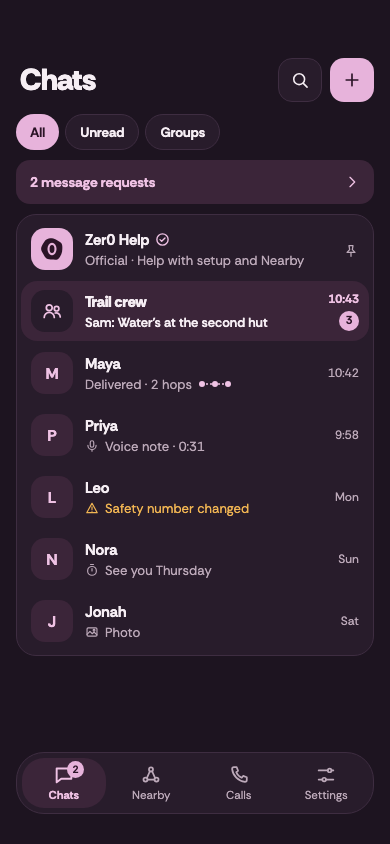
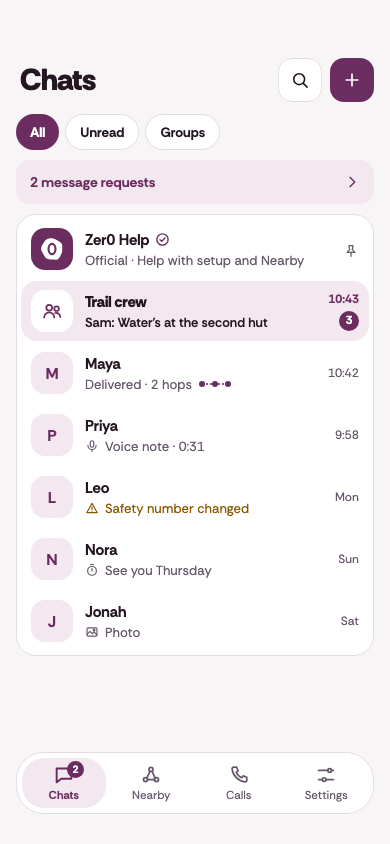
  • Zer0 chat list in light mode, with filters for all, unread and groups.
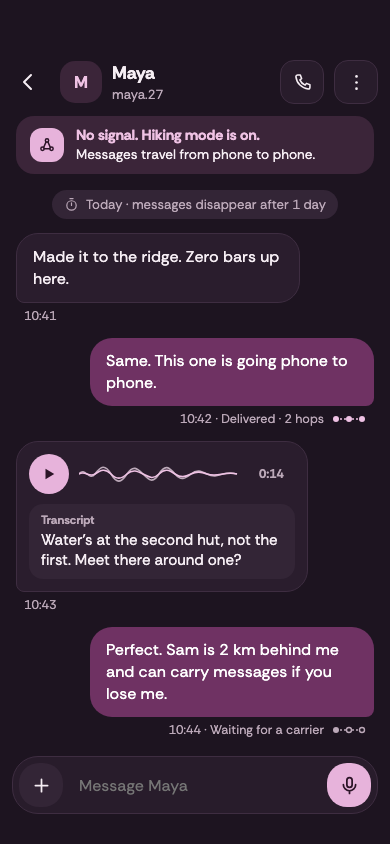
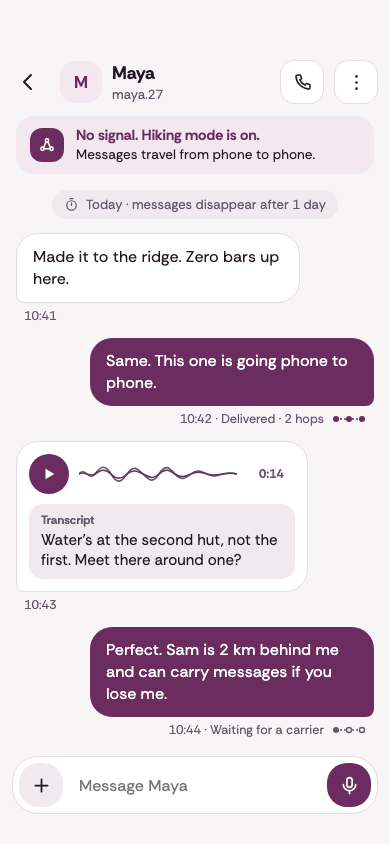
  • A chat with Maya in light mode, with messages, a voice note and its transcript.
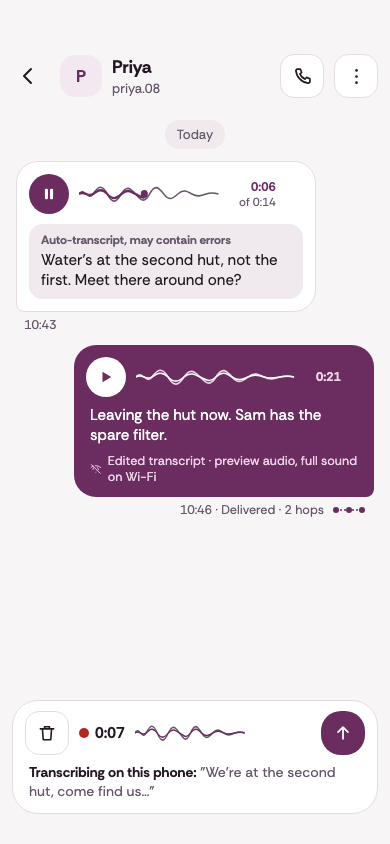
  • A chat with Priya in light mode, with voice notes and a new voice note being recorded.
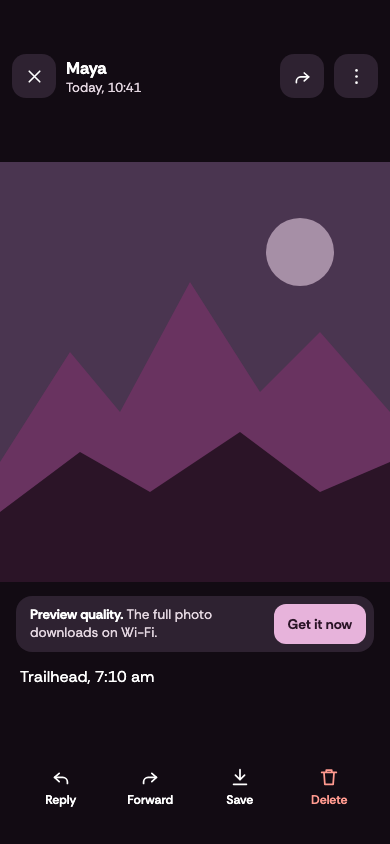
  • A photo open full screen from a chat, with reply, forward, save and delete actions.
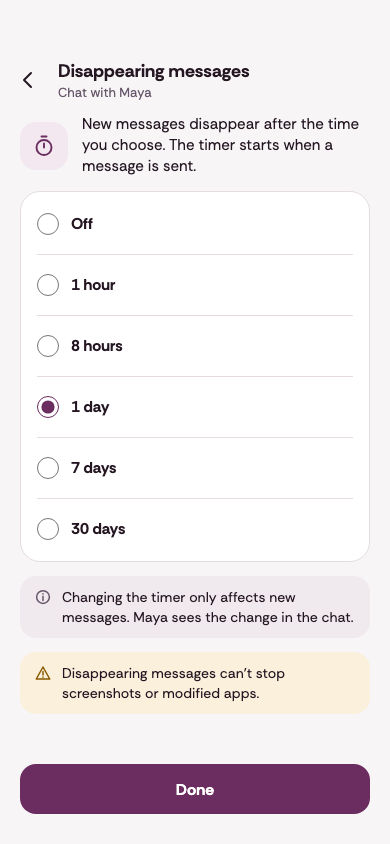
  • Disappearing messages for a chat in light mode, with choices from off to 30 days.
Fig. 03 — Chats, in light mode.

Calls

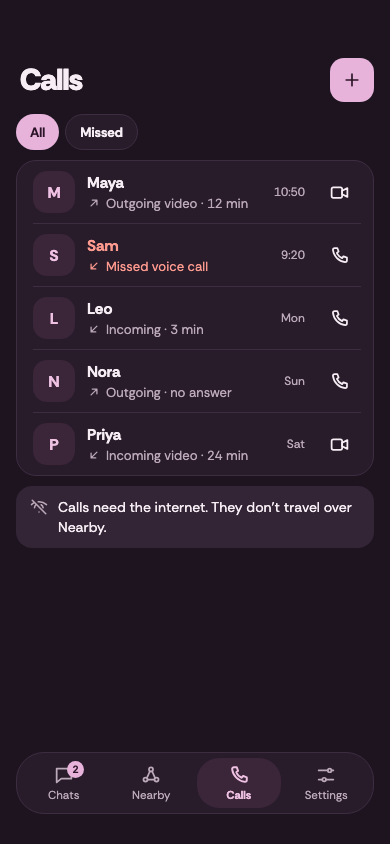
  • Calls screen in dark mode, with a list of recent calls.
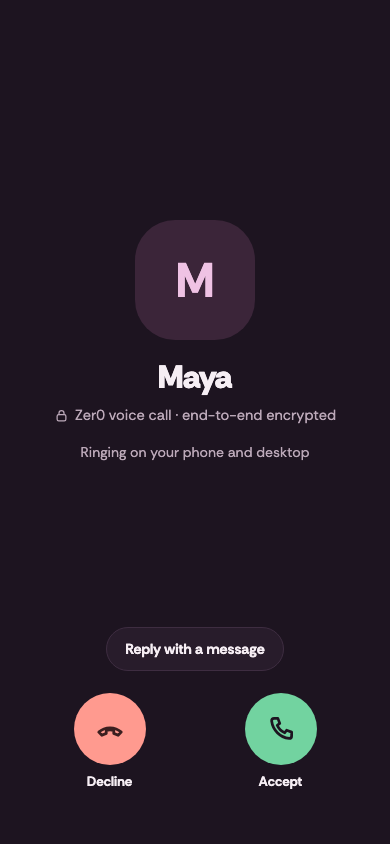
  • An incoming voice call from Maya in dark mode, with decline and accept buttons.
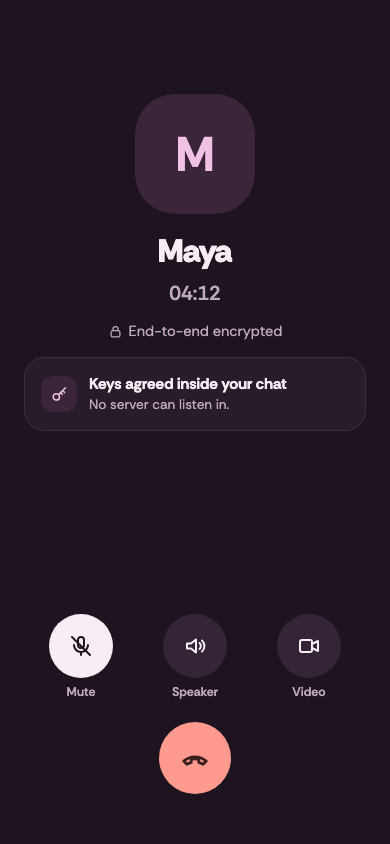
  • A voice call with Maya in dark mode, with mute, speaker and video controls.
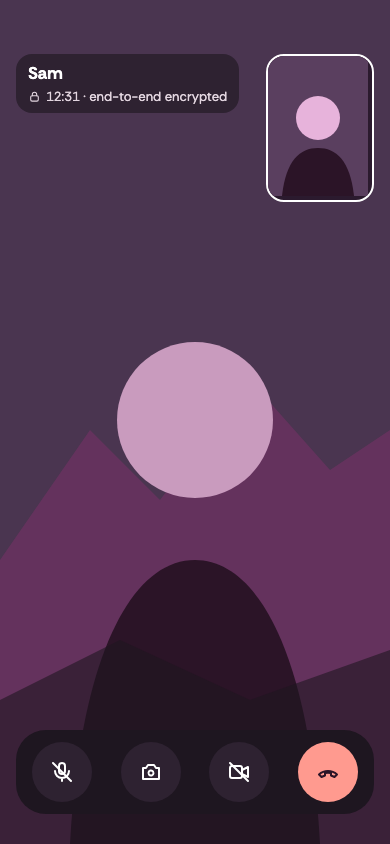
  • A video call in dark mode, with an illustrated caller and the call controls.
Fig. 04 — Calls, in dark mode.

Contacts and groups

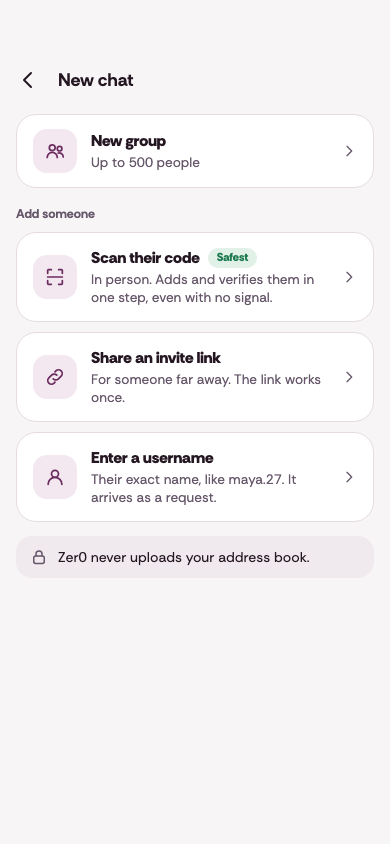
  • New chat screen in light mode, with the ways to add someone.
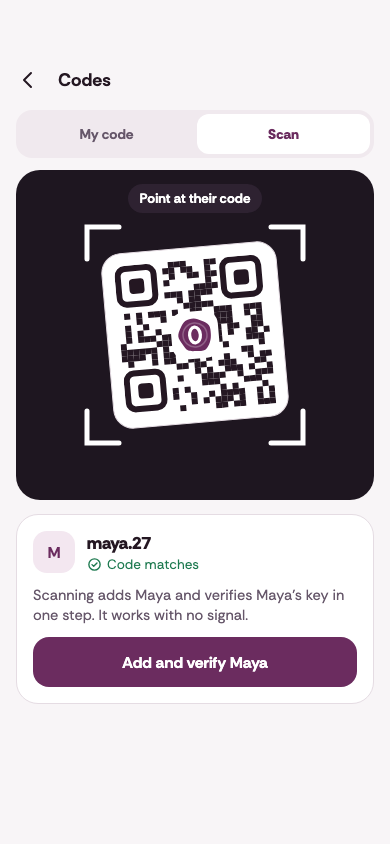
  • Codes screen in light mode, scanning a QR code.
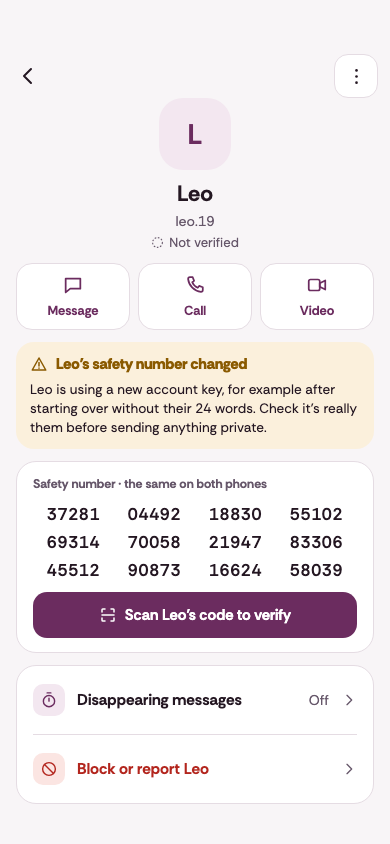
  • Contact profile for Leo in light mode, with message, call and video buttons and a safety number.
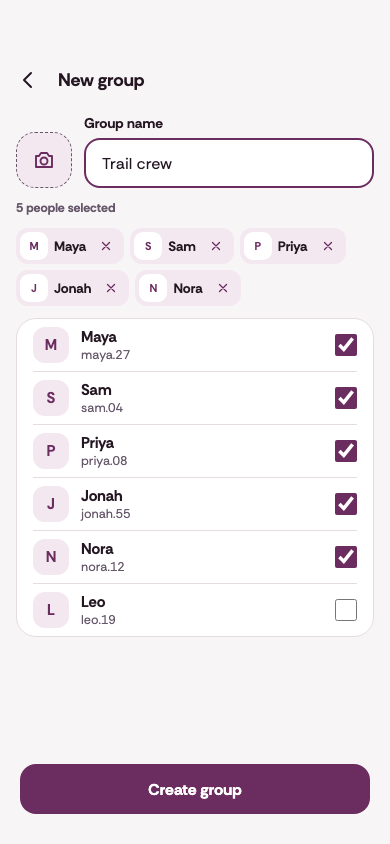
  • New group screen in light mode, with the group name Trail crew and five people selected.
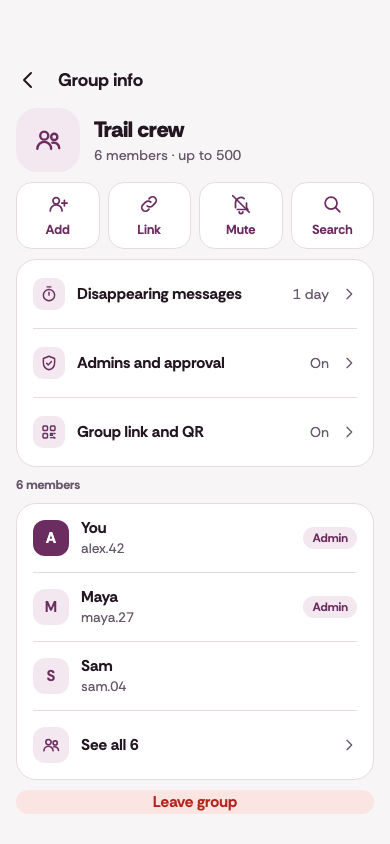
  • Group info for Trail crew in light mode, with group settings and members.
Fig. 05 — Contacts and groups, in light mode.

Settings

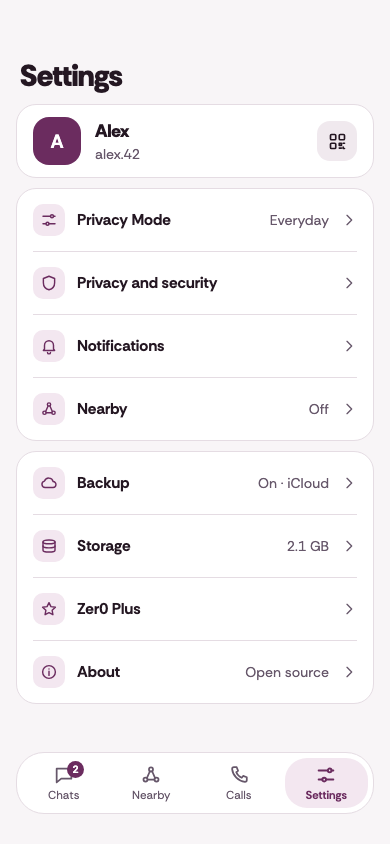
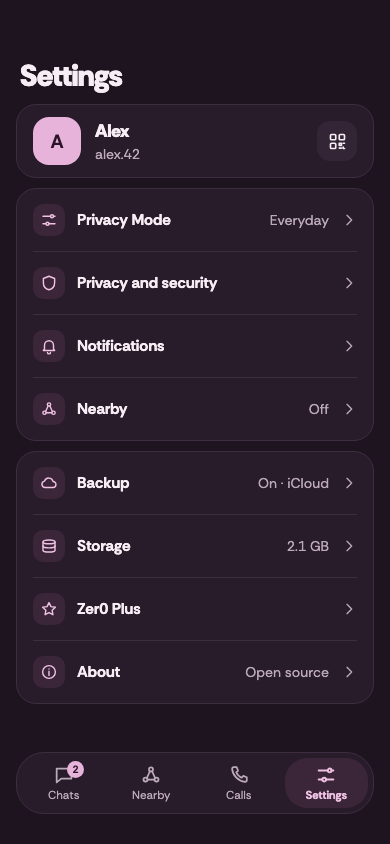
  • Settings in dark mode, with the profile at the top and a list of settings.
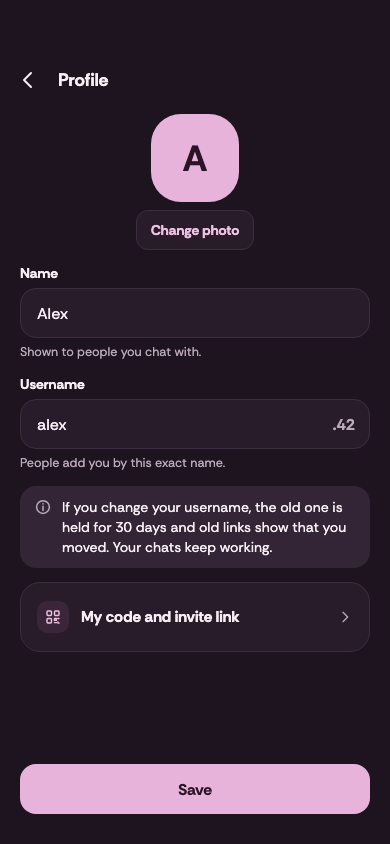
  • Profile screen in dark mode, with name and username fields.
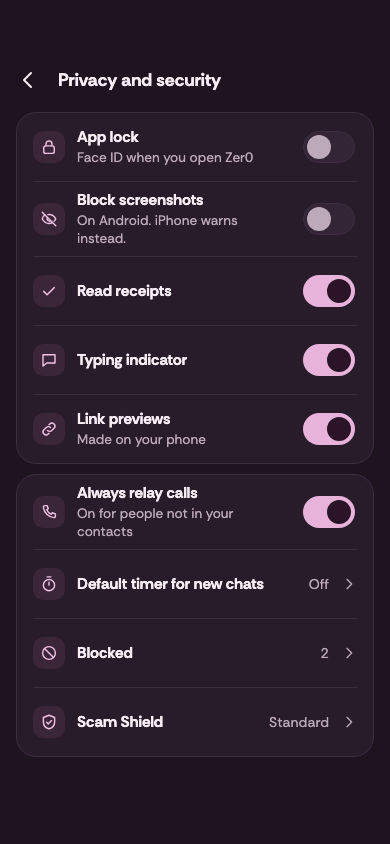
  • Privacy and security settings in dark mode, with a list of switches.
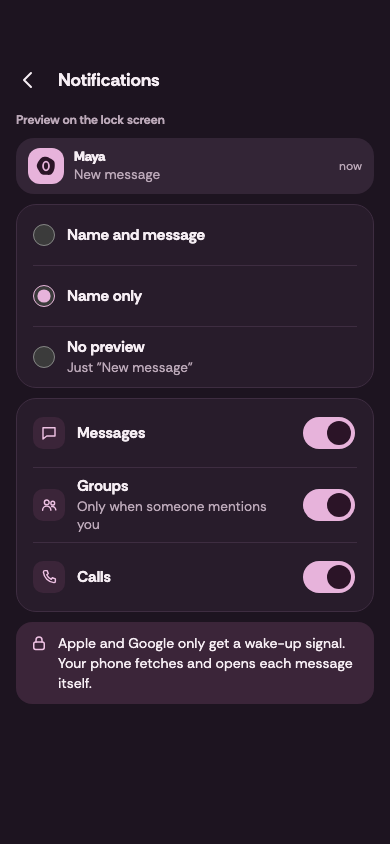
  • Notification settings in dark mode, with lock screen preview choices and switches.
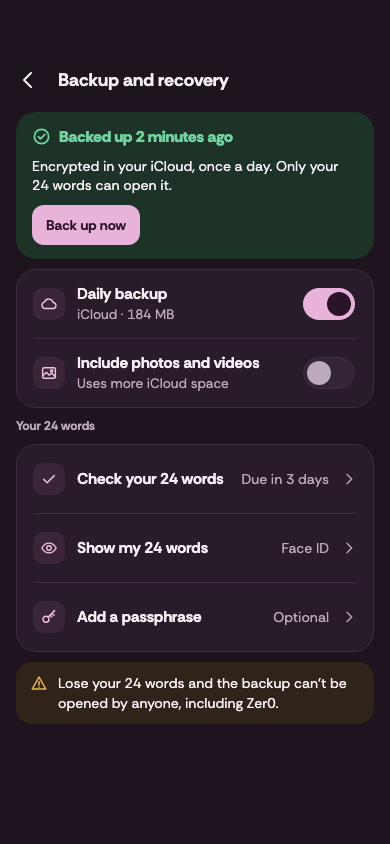
  • Backup and recovery settings in dark mode.
Fig. 06 — Settings, in dark mode.

Desktop

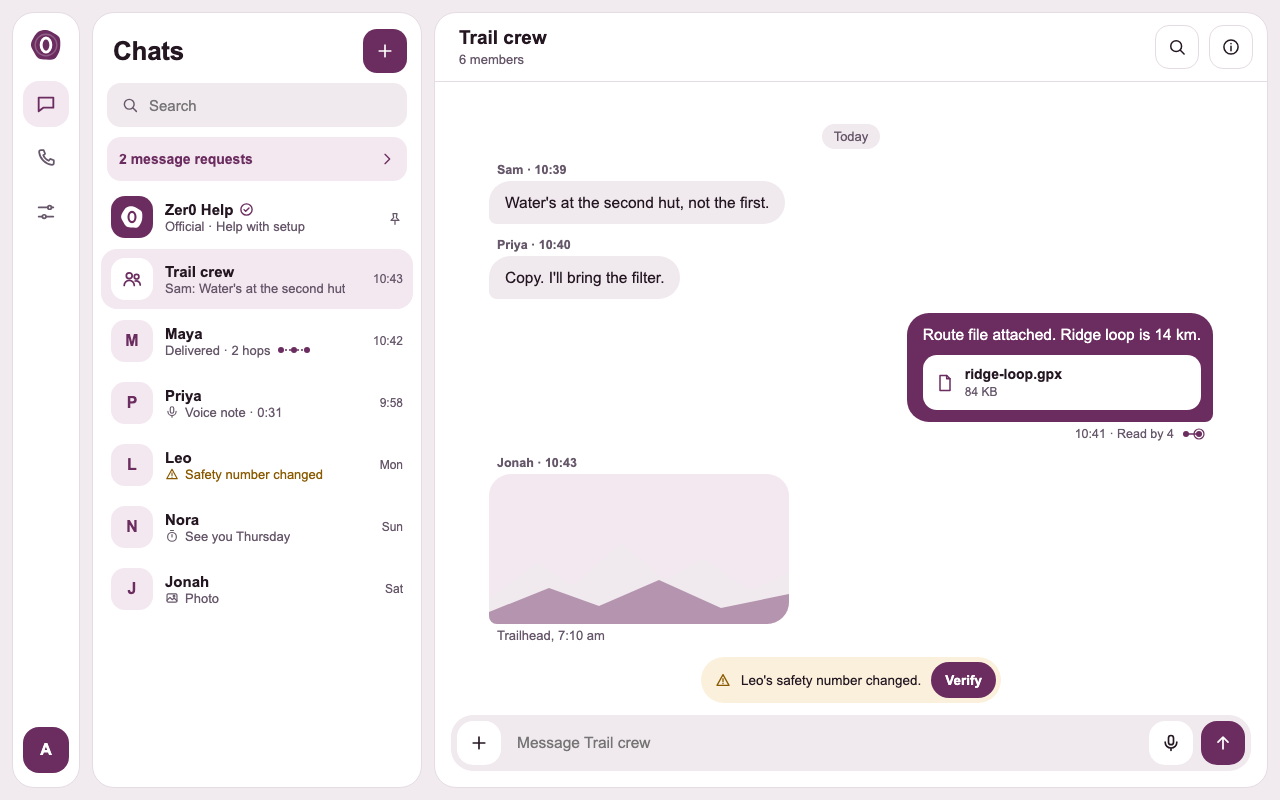
  • Zer0 on desktop in light mode: the chat list beside a group chat.
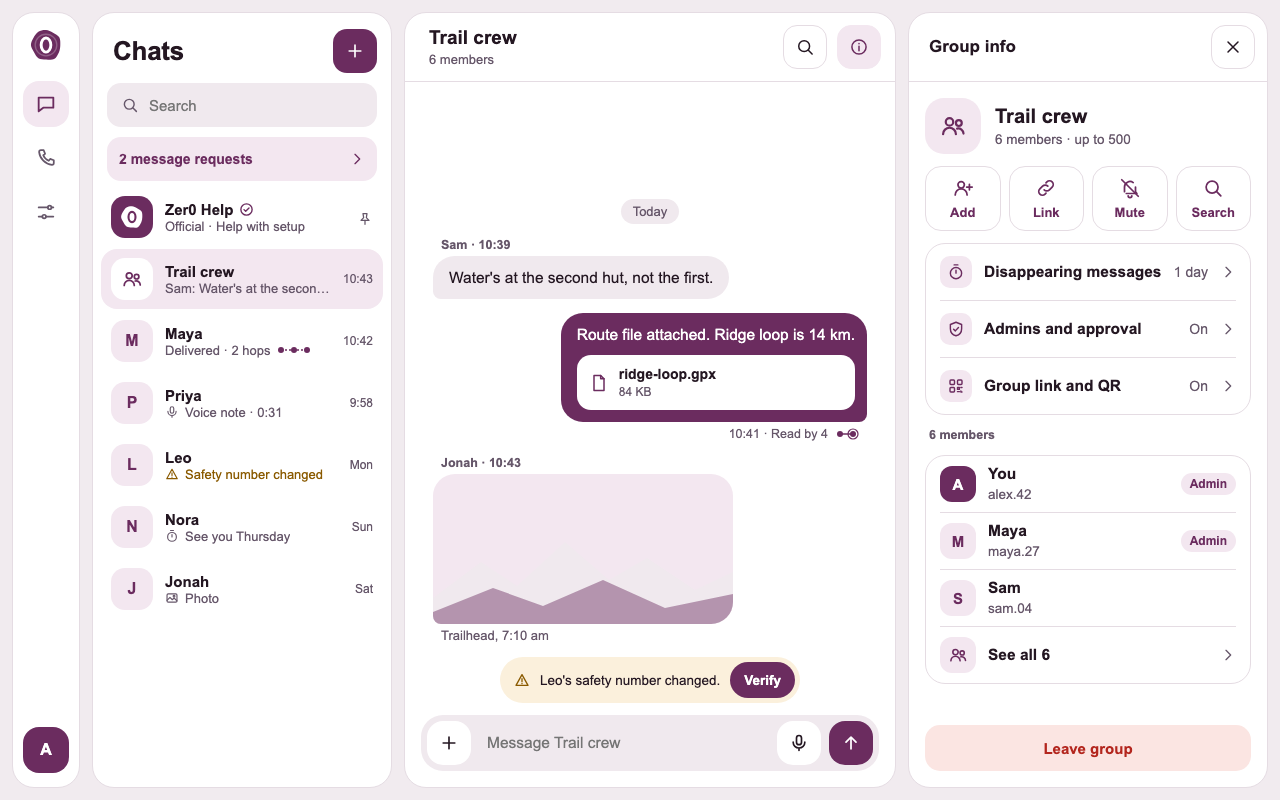
  • Zer0 on desktop in light mode: a group chat with the group info panel open.
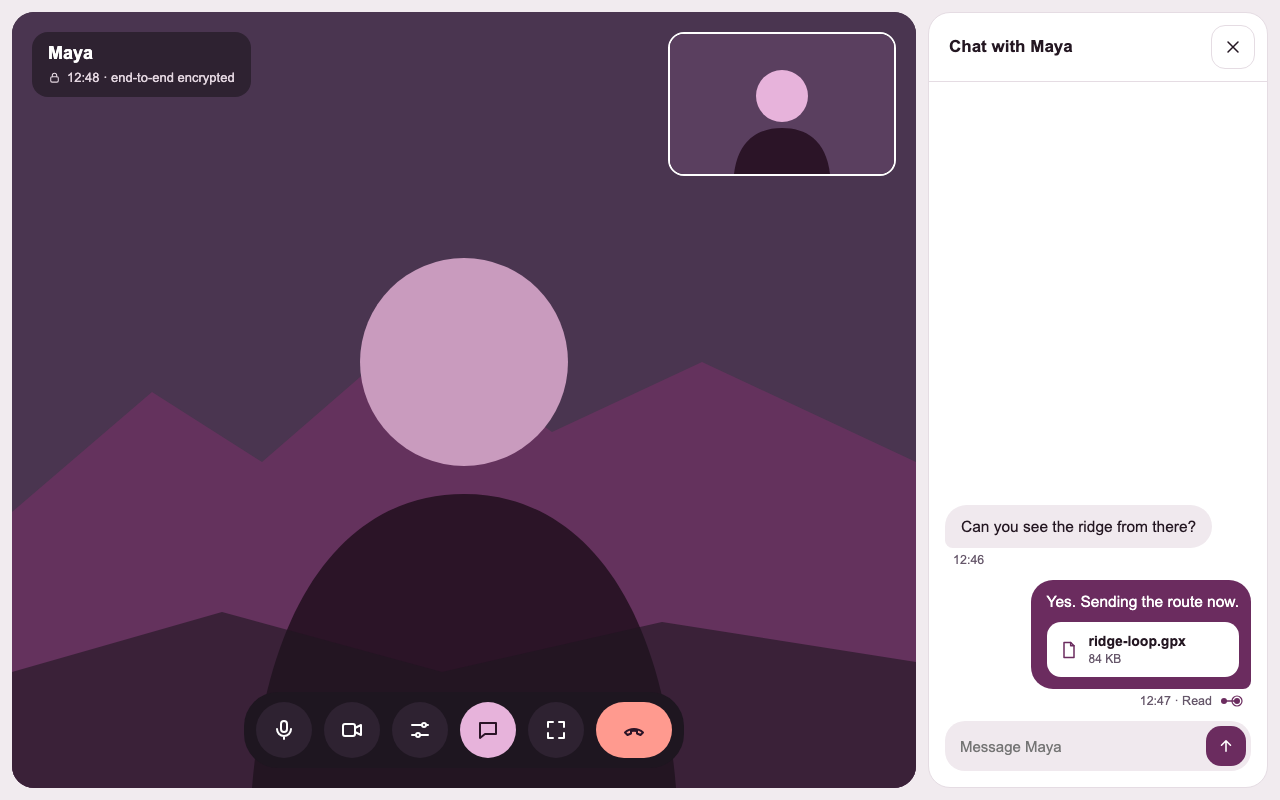
  • Zer0 on desktop in light mode: a video call beside the chat.
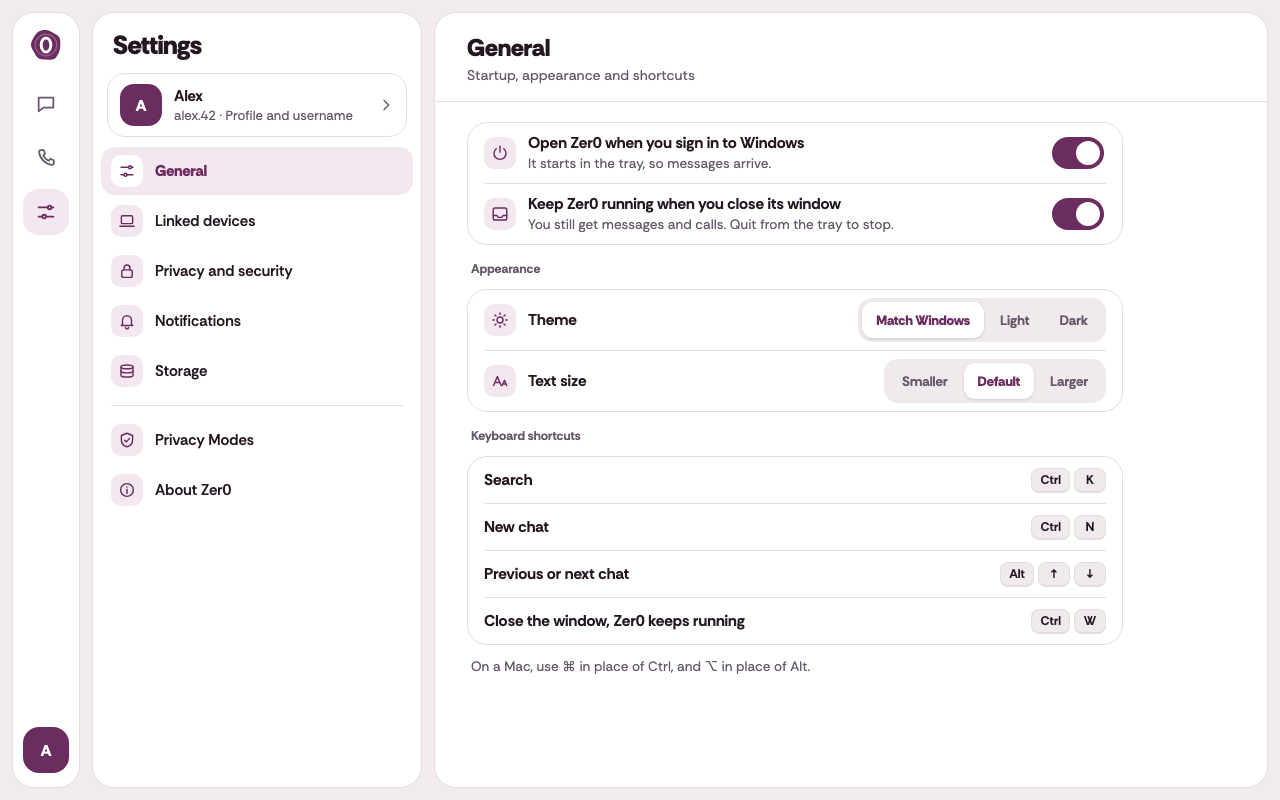
  • Zer0 on desktop in light mode: the general settings.
Fig. 07 — Desktop, in light mode.

Themes

Light and dark

Every screen is designed in light and dark.

Light
The chat list in light mode.
A chat with Maya in light mode.

Dark

The same chat list in dark mode.
The same chat with Maya in dark mode.
Fig. 08 — The chat list and a chat, in light and dark.

Light

Zer0 chats on desktop in light mode.

Dark

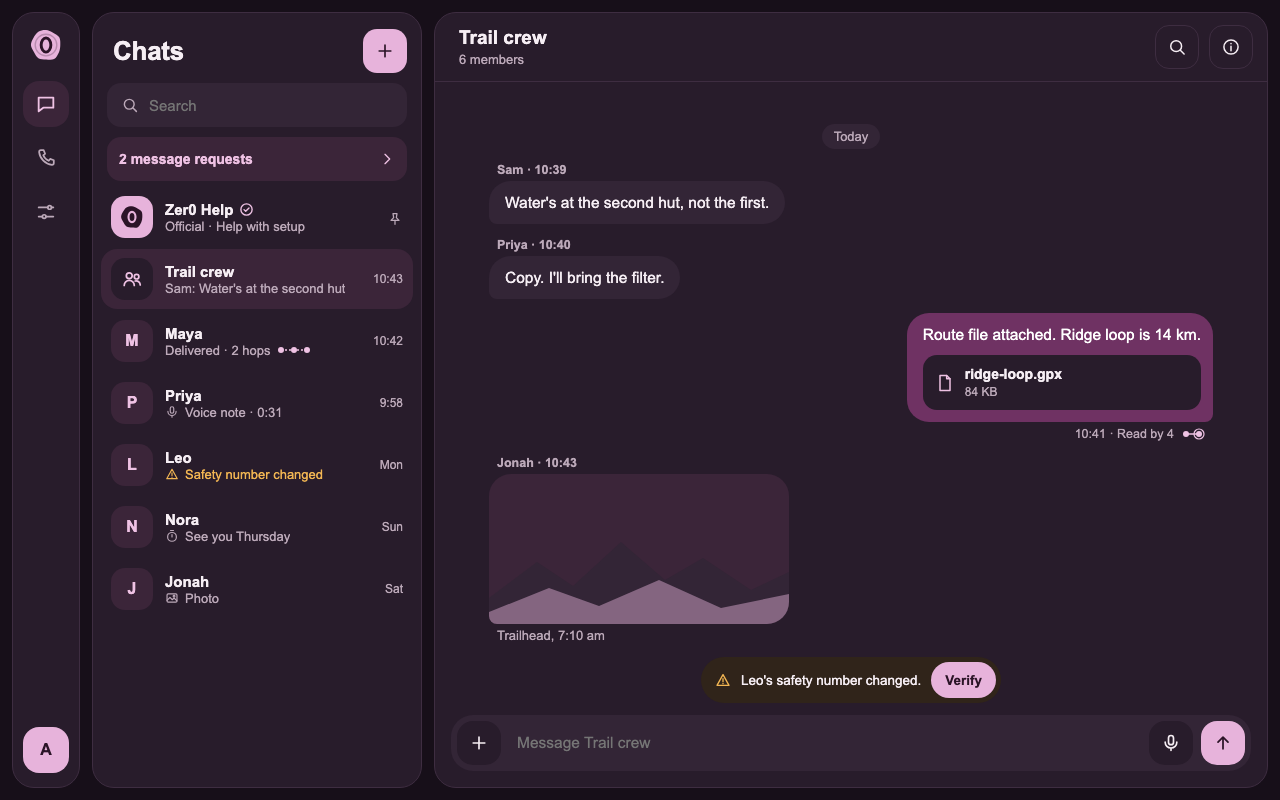
The same chats on desktop in dark mode.
Fig. 09 — Chats on desktop, in light and dark.

Next project

UI/UX design · Website

Lumen Greens

A website design for a golf-residences development.

UI/UX design

Have a project in mind?

Tell us what you want to build, and we will reply with the next steps.