
NearBlend

Find people and places near you, and meet in real life.

Type
Mobile app · Web app
Platforms
App Store Google Play Web
Built with
Flutter · Supabase

In India and other countries

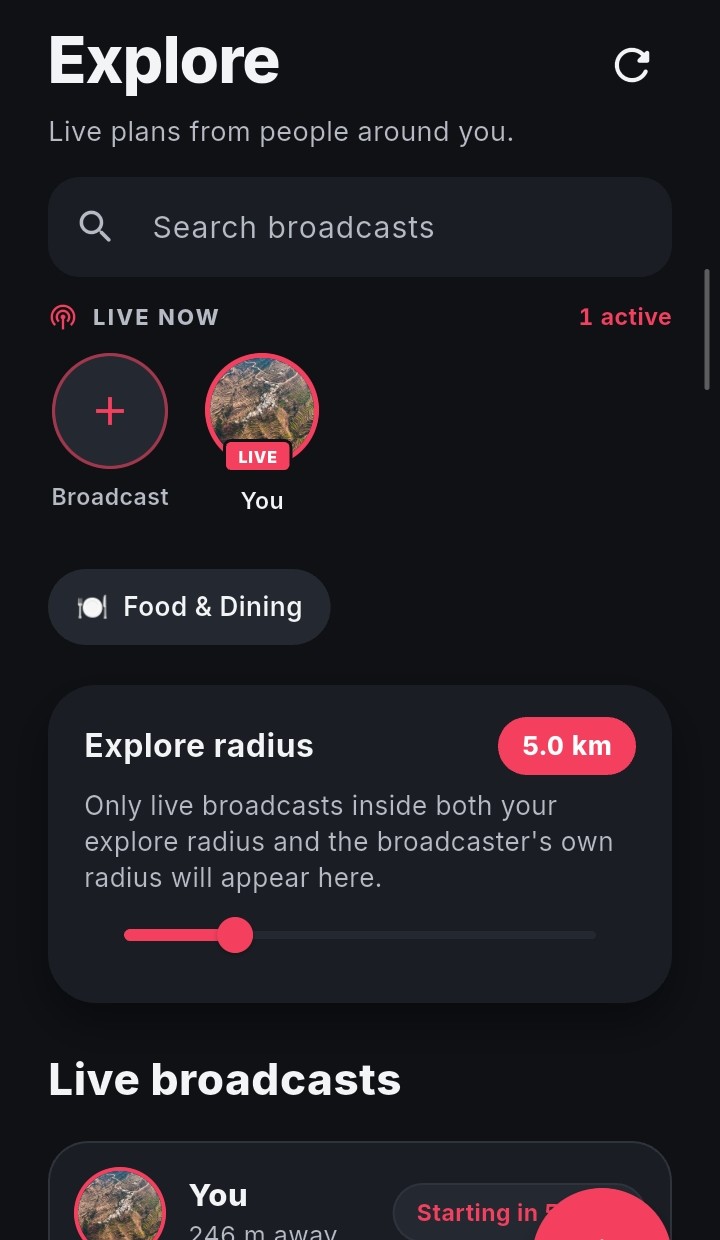
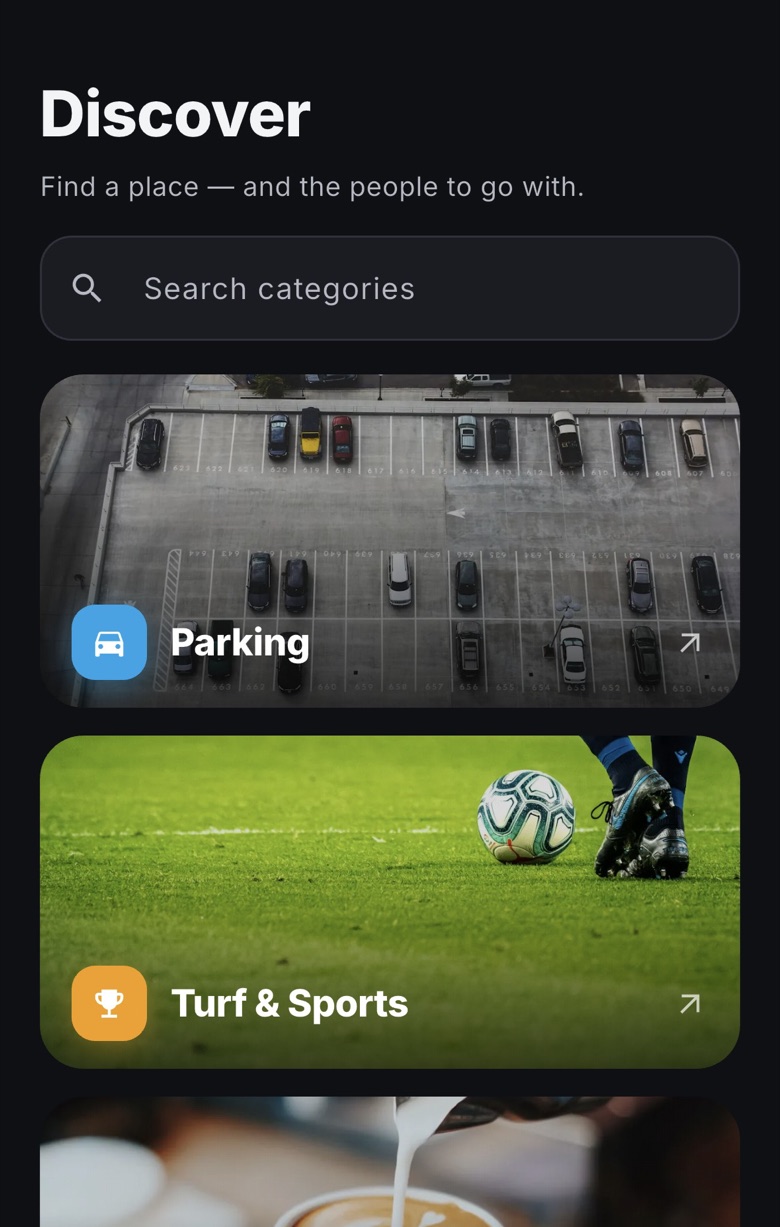
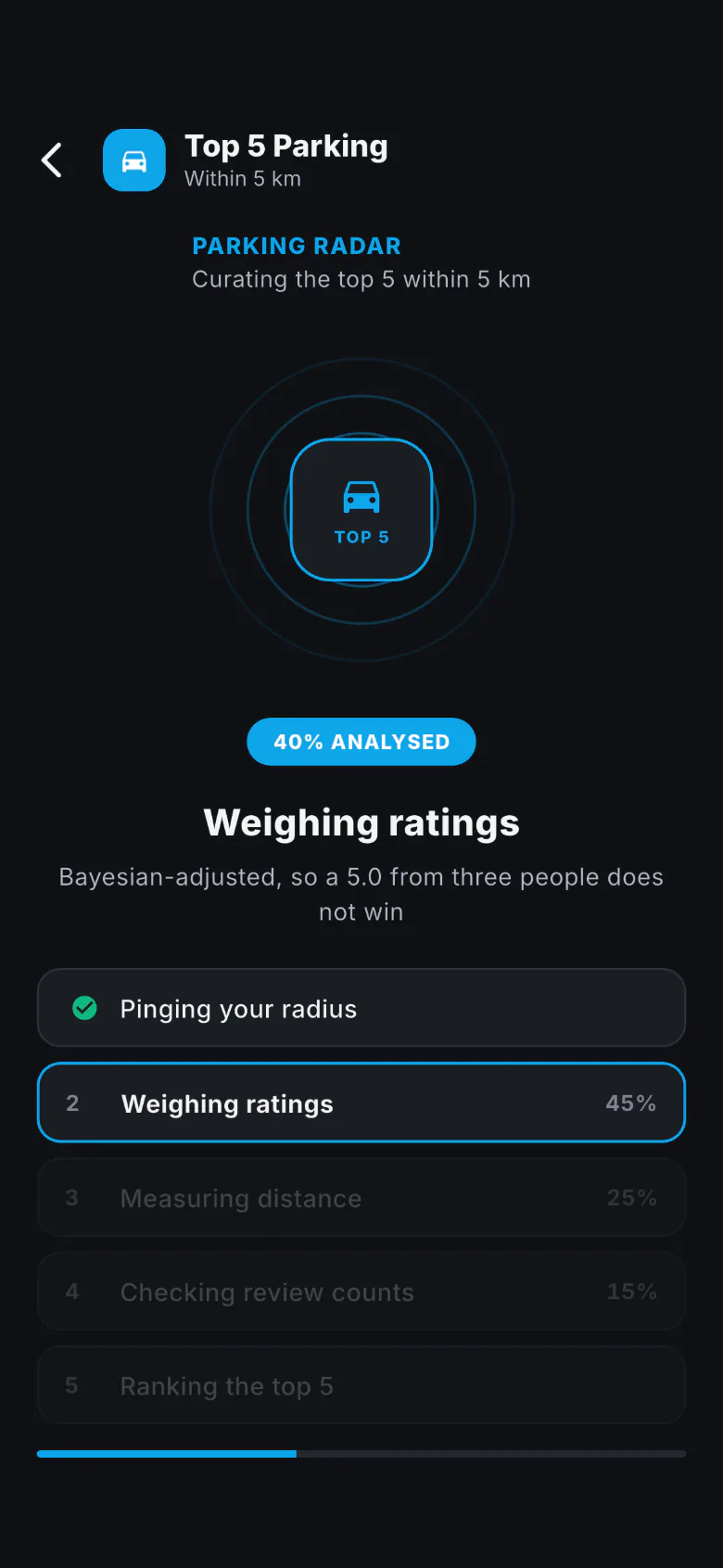
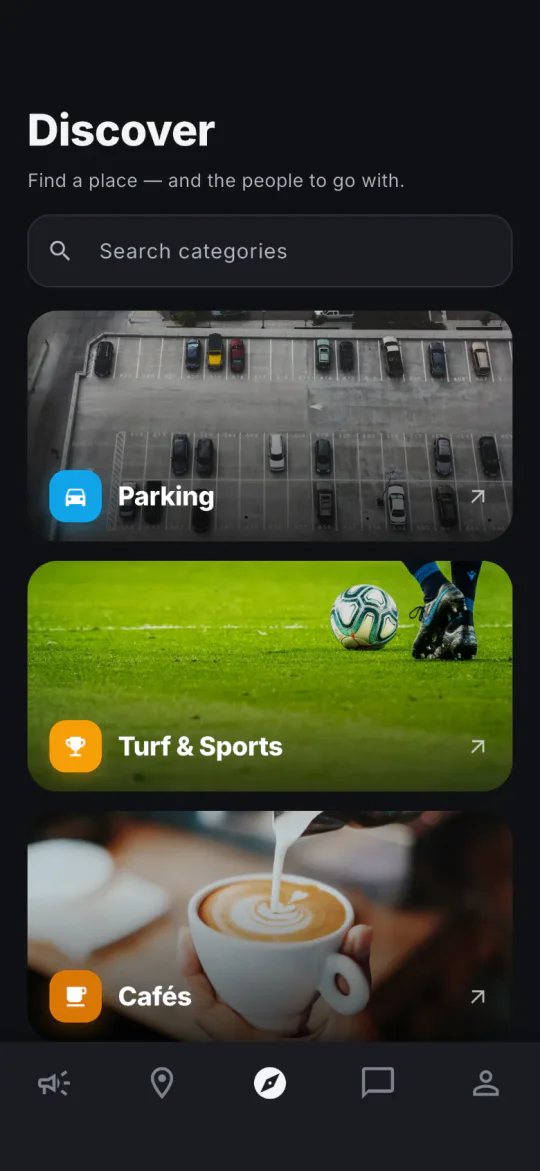
Fig. 01 — NearBlend on iOS and Android: Explore, Discover and a Top 5 being ranked.

Overview

People, places and plans around you.

About

A social app for discovering people, places and plans around you, with a live map, discovery and chat, on iOS, Android and the web.

Where it is live

App Store, Google Play and the web, in India and other countries.

What we did

  1. Product design
  2. iOS and Android apps
  3. Web app
  4. Launch on both stores

Screens

iOS, Android and the web

NearBlend ships on both iOS and Android, through the App Store and Google Play, and runs in the browser at web.nearblend.com.
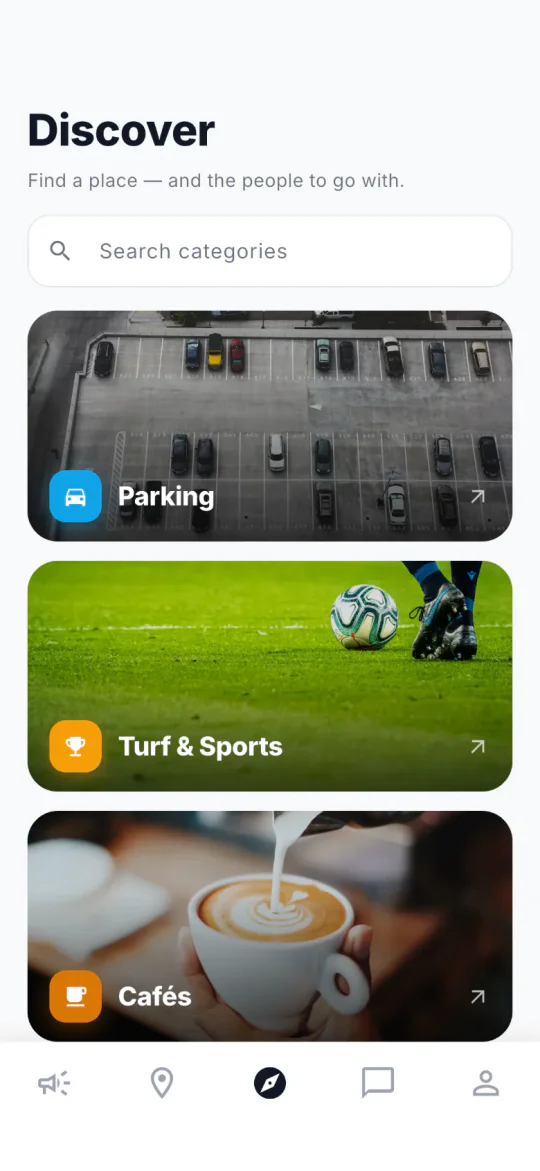
iOS

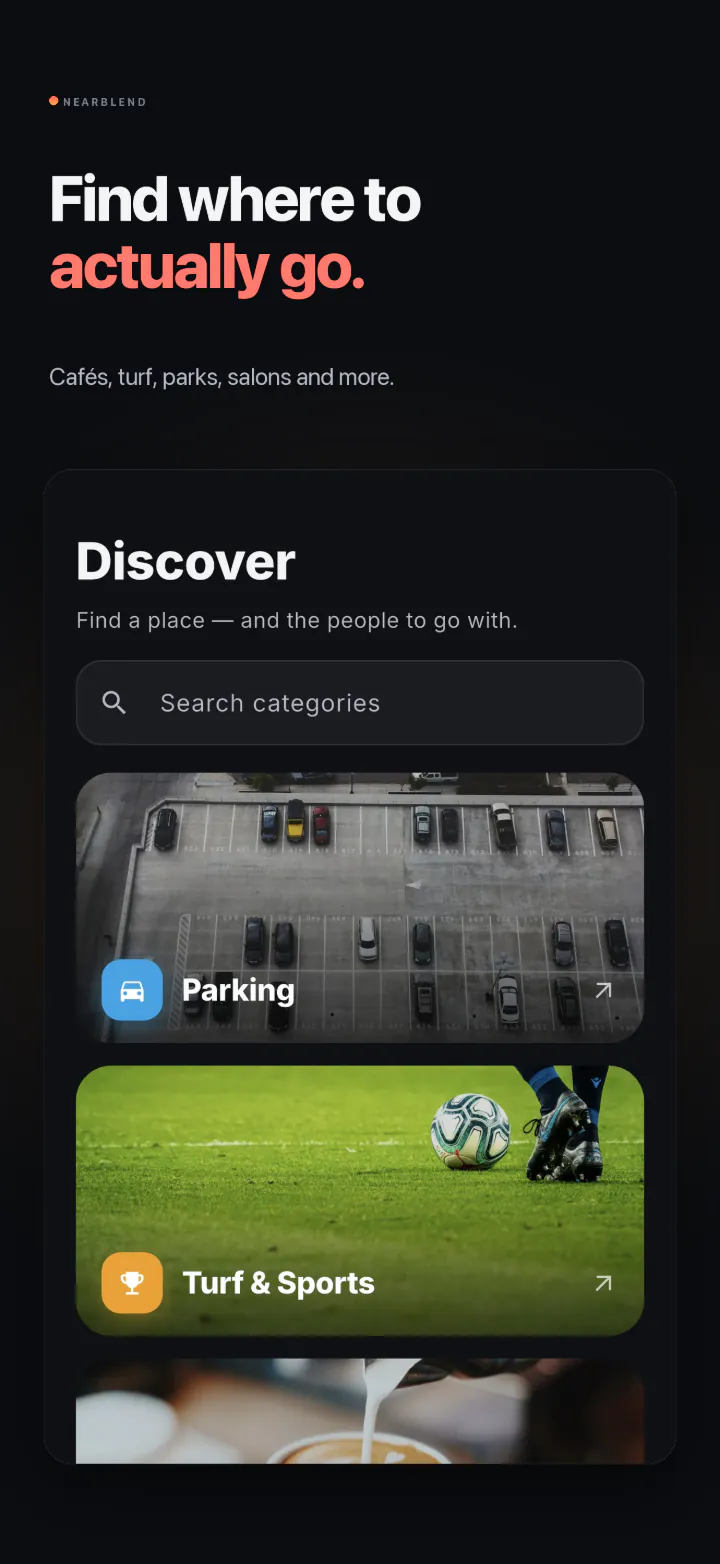
  • NearBlend Discover screen on iOS: Find a place, and the people to go with, a search field and photo cards for Parking, Turf & Sports and Cafés.

    Discover

  • The same Discover screen in dark mode.

    Discover, dark

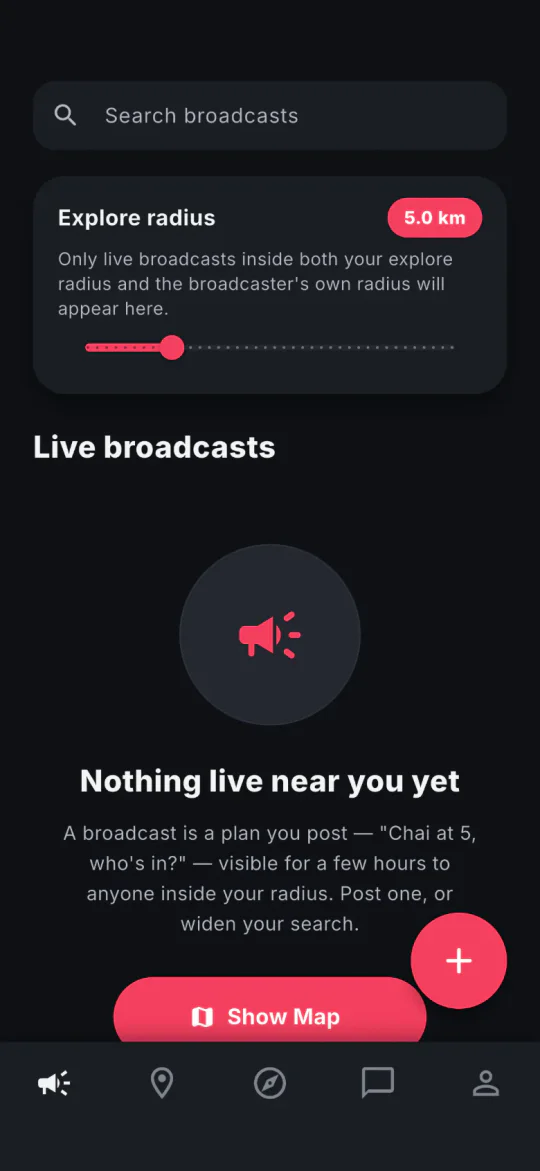
  • NearBlend Explore screen in dark mode: an explore radius of 5.0 km and the message Nothing live near you yet, with a note that a broadcast is a plan anyone inside your radius can see for a few hours.

    Explore

  • NearBlend ranking a Top 5 Parking list within 5 km: a radar, 40% analysed, and the steps from Pinging your radius to Ranking the top 5.

    Ranking

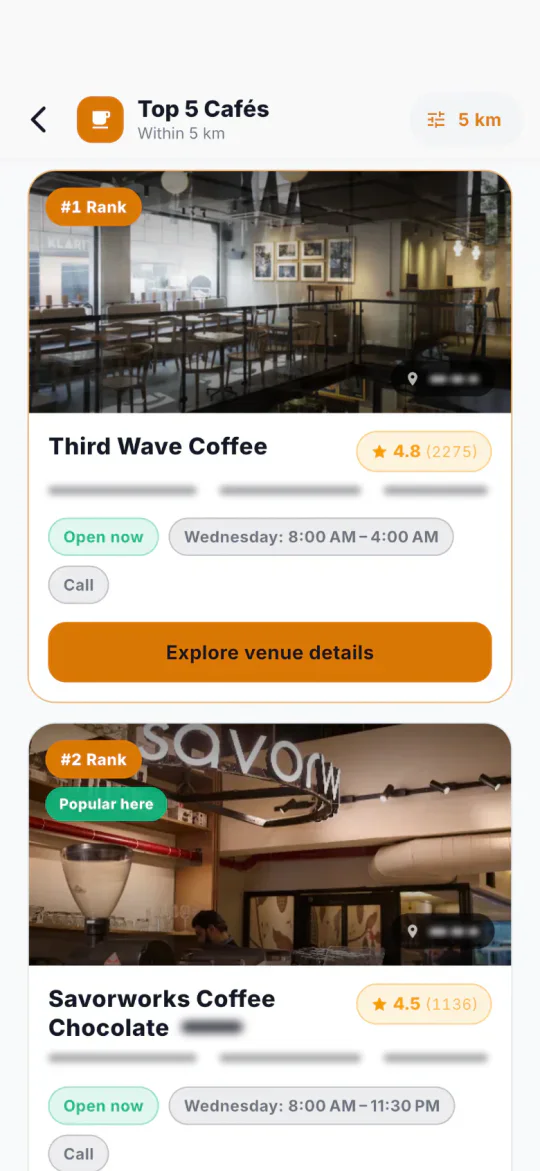
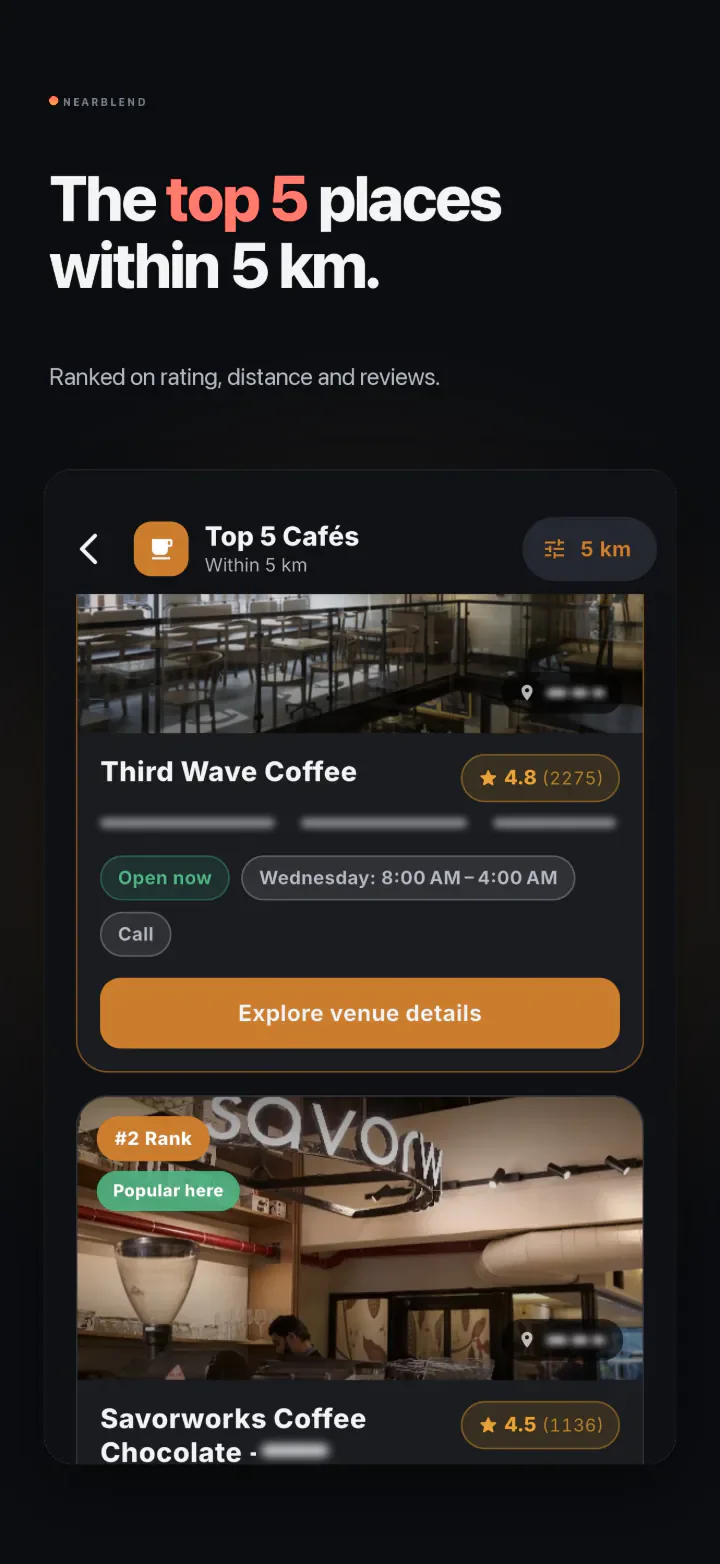
  • NearBlend Top 5 Cafés within 5 km on iOS: Third Wave Coffee ranked first with a rating of 4.8, then Savorworks Coffee Chocolate, each with opening hours and a Call button.

    Top 5

Fig. 02 — iOS at full height: Discover in light and dark, Explore before anyone has posted, a Top 5 being ranked, and the top 5 cafés within 5 km.

Android

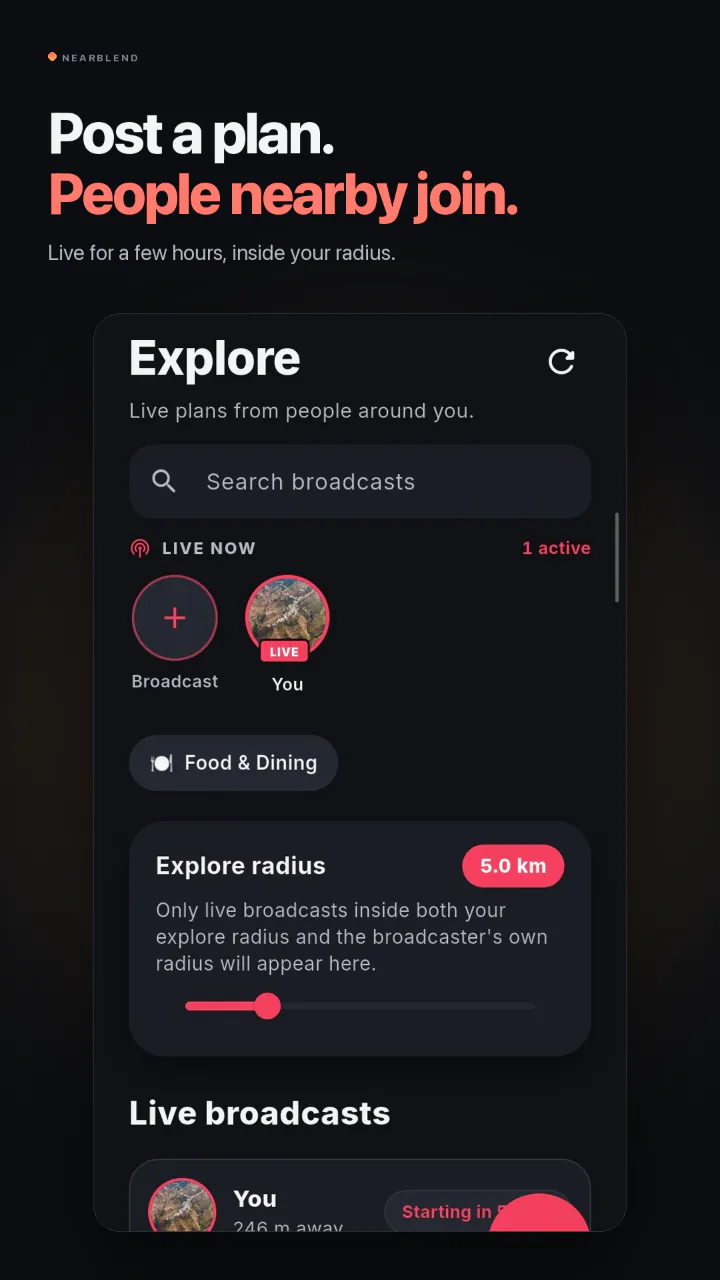
  1. NearBlend Explore screen on Android: who is live now, an explore radius of 5.0 km and the start of the live broadcasts list.

    Post a planLive for a few hours, inside your radius.
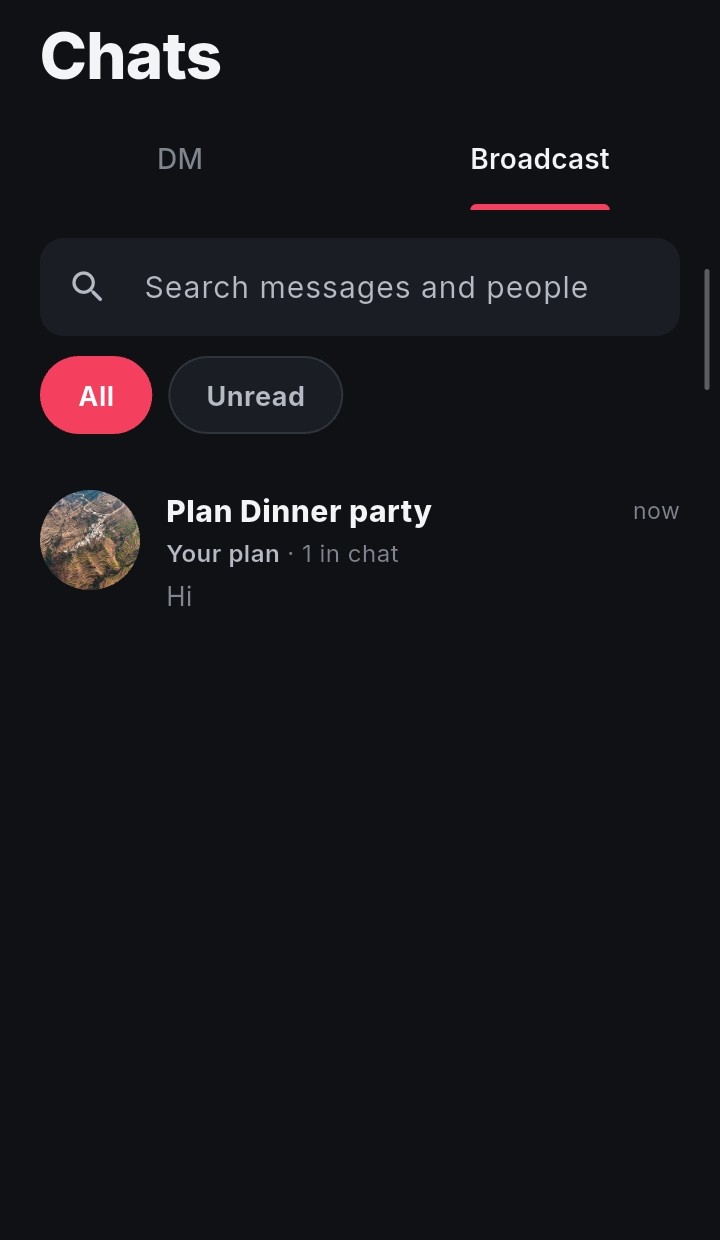
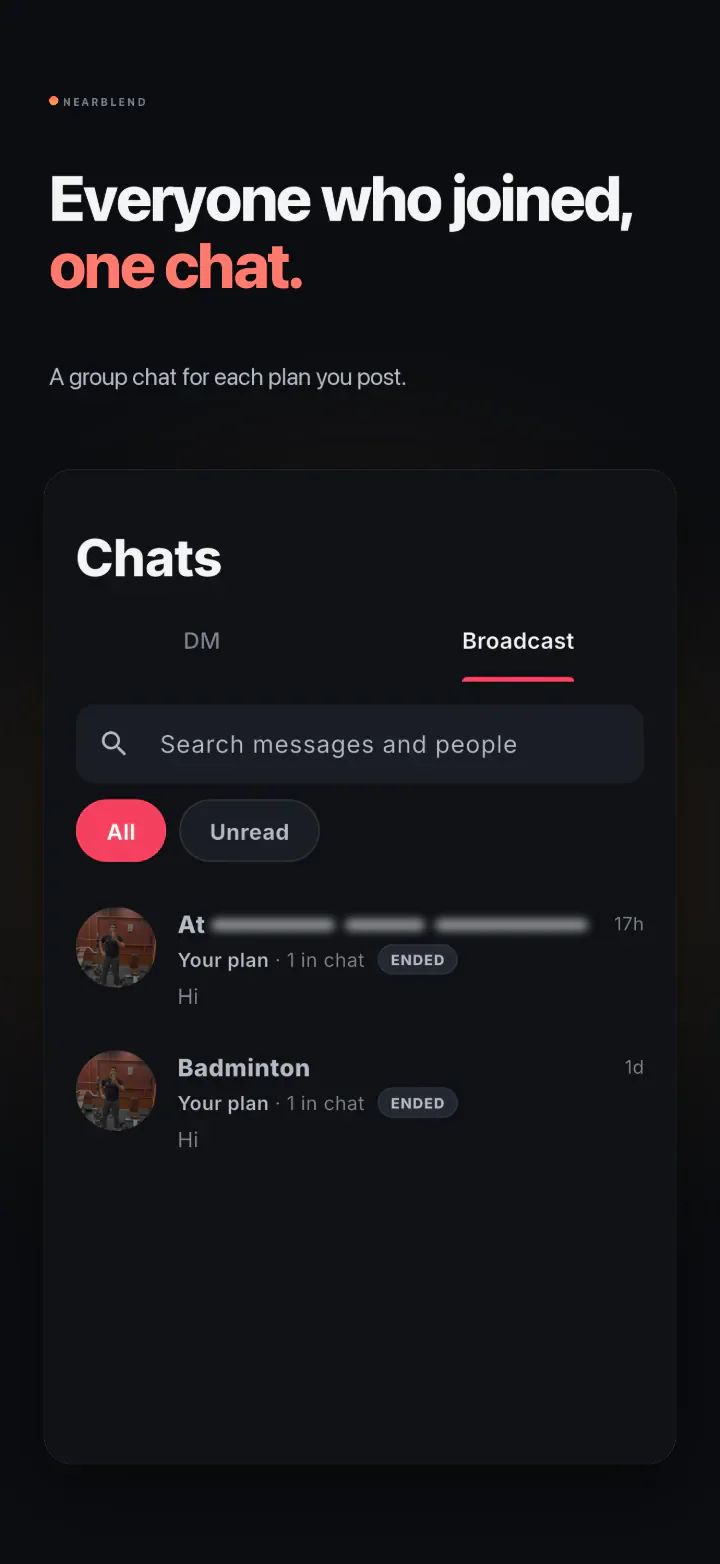
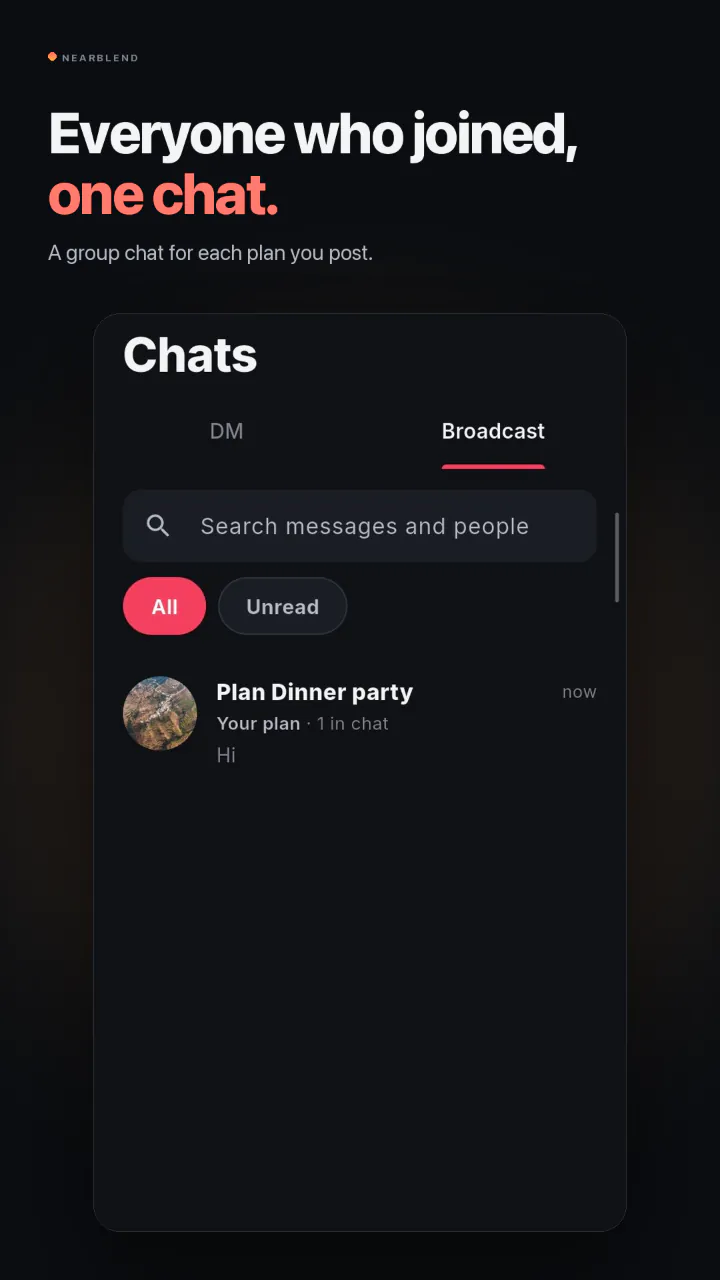
  2. NearBlend Chats screen on Android, on the Broadcast tab, with one plan chat.

    One chatA group chat for each plan you post.
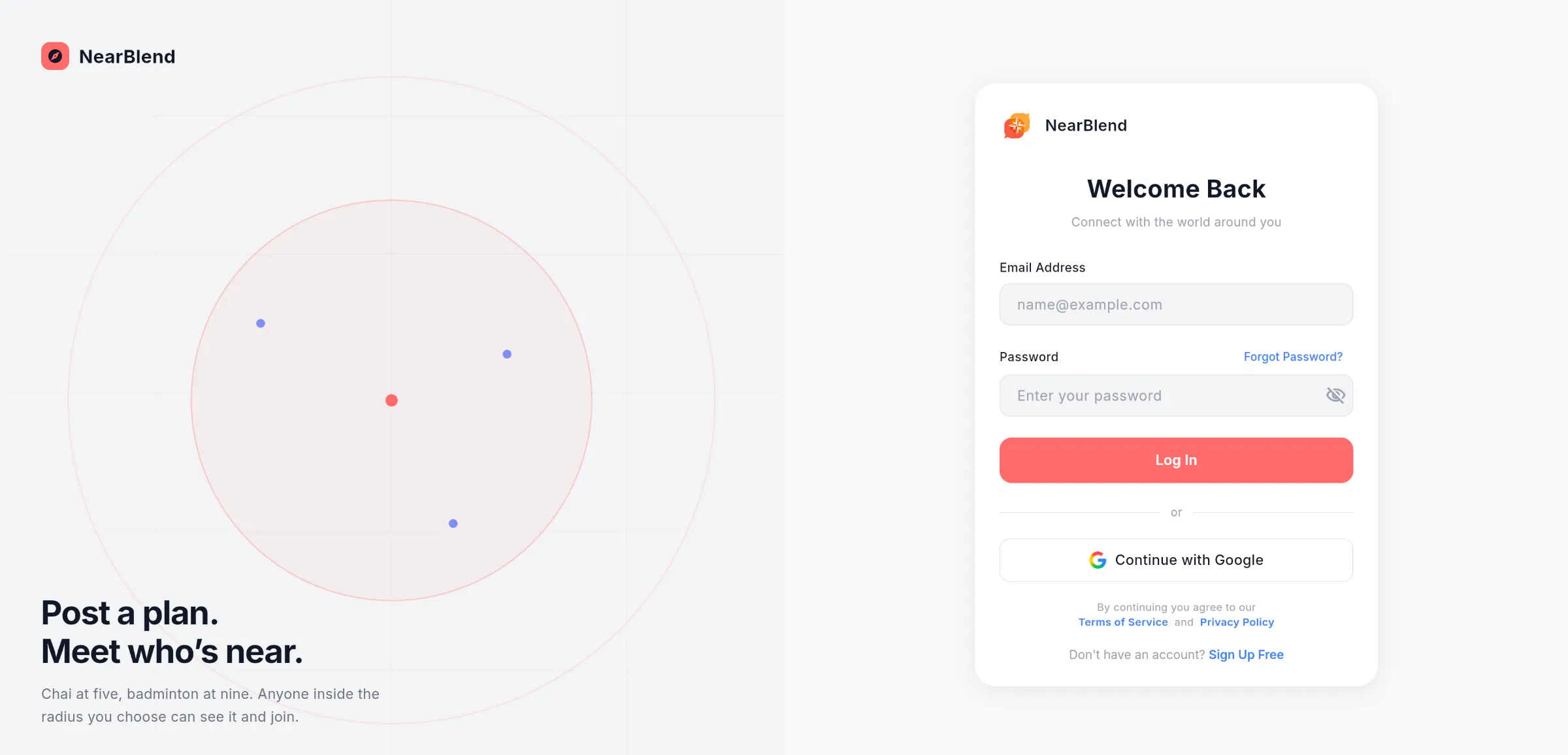
Fig. 03 — On Android: post a plan, then one chat for everyone who joined.

The web app

The NearBlend web app's sign-in page: the line “Post a plan. Meet who's near.” beside a radius illustration, and a Welcome Back form with email, password and Continue with Google.
Fig. 04 — web.nearblend.com: sign in.
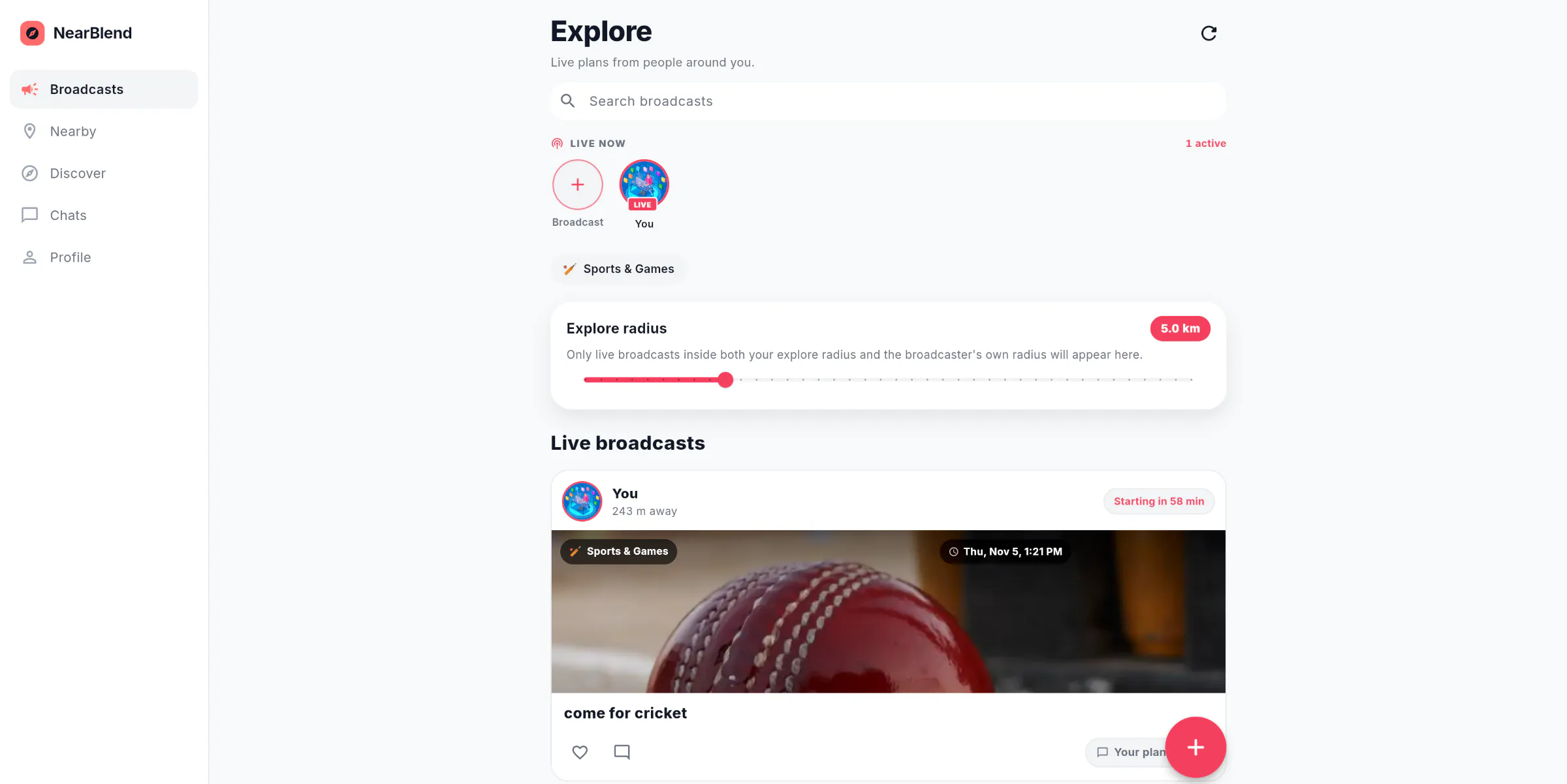
The NearBlend web app's Explore page: live plans from people around you, an explore radius of 5.0 km and a live plan called come for cricket.
Fig. 05 — Explore, on the web.

App Store and Google Play

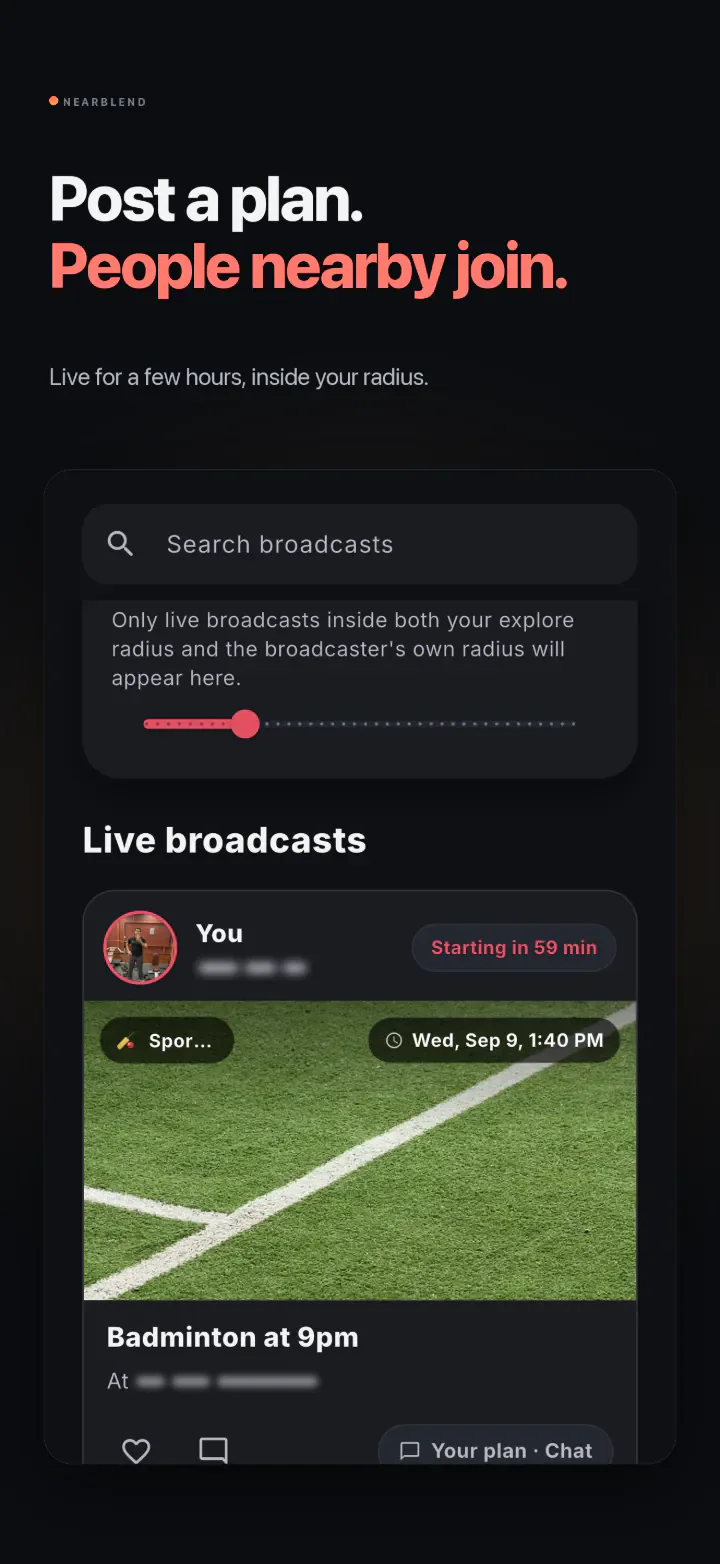
  1. App Store image: “Post a plan. People nearby join.” Below it, the Explore screen with a live plan, Badminton at 9pm.

    Post a plan

  2. App Store image: “Everyone who joined, one chat.” Below it, the Chats screen.

    One chat for everyone

  3. App Store image: “The top 5 places within 5 km.” Below it, the Top 5 Cafés list.

    The top 5 places

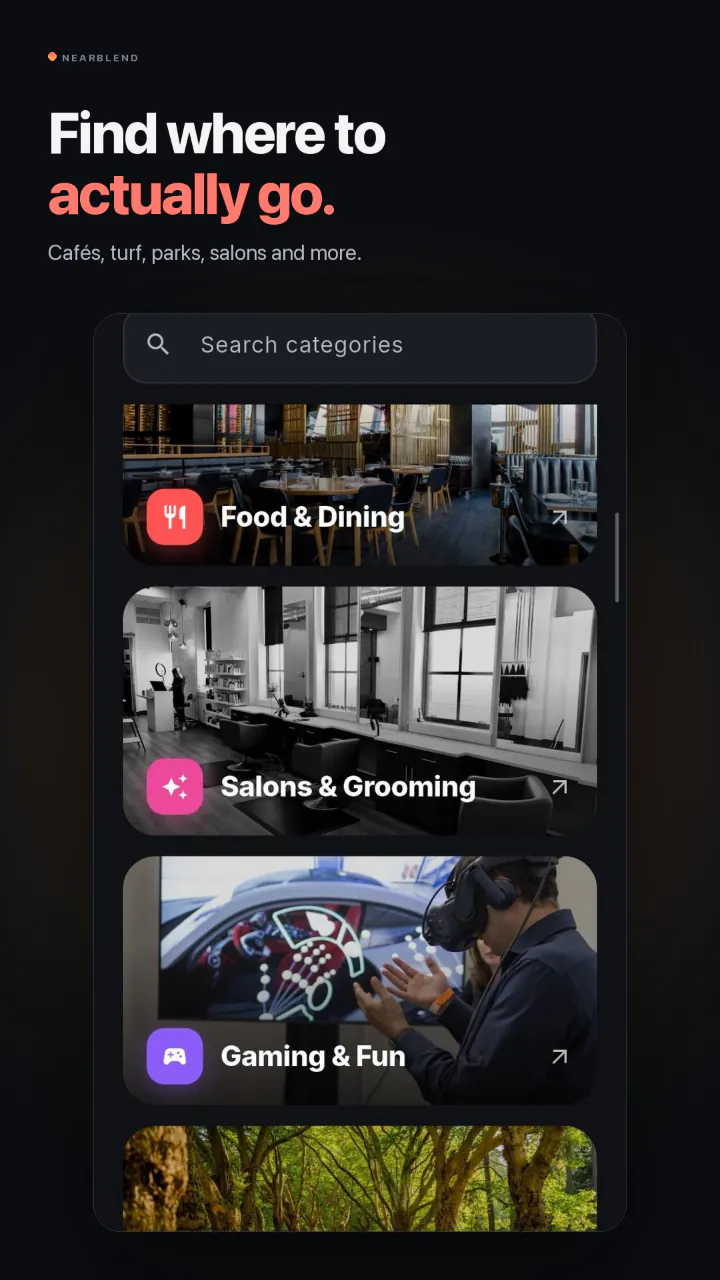
  4. App Store image: “Find where to actually go.” Below it, the Discover screen.

    Where to actually go

Fig. 06 — The App Store listing.
  1. Google Play image: “Post a plan. People nearby join.” Below it, the Explore screen.

    Post a plan

  2. Google Play image: “Everyone who joined, one chat.” Below it, the Chats screen with one plan chat.

    One chat for everyone

  3. Google Play image: “Find where to actually go.” Below it, Discover with Food & Dining, Salons & Grooming and Gaming & Fun.

    Where to actually go

Fig. 07 — The Google Play listing.

Next project

Mobile app · Web

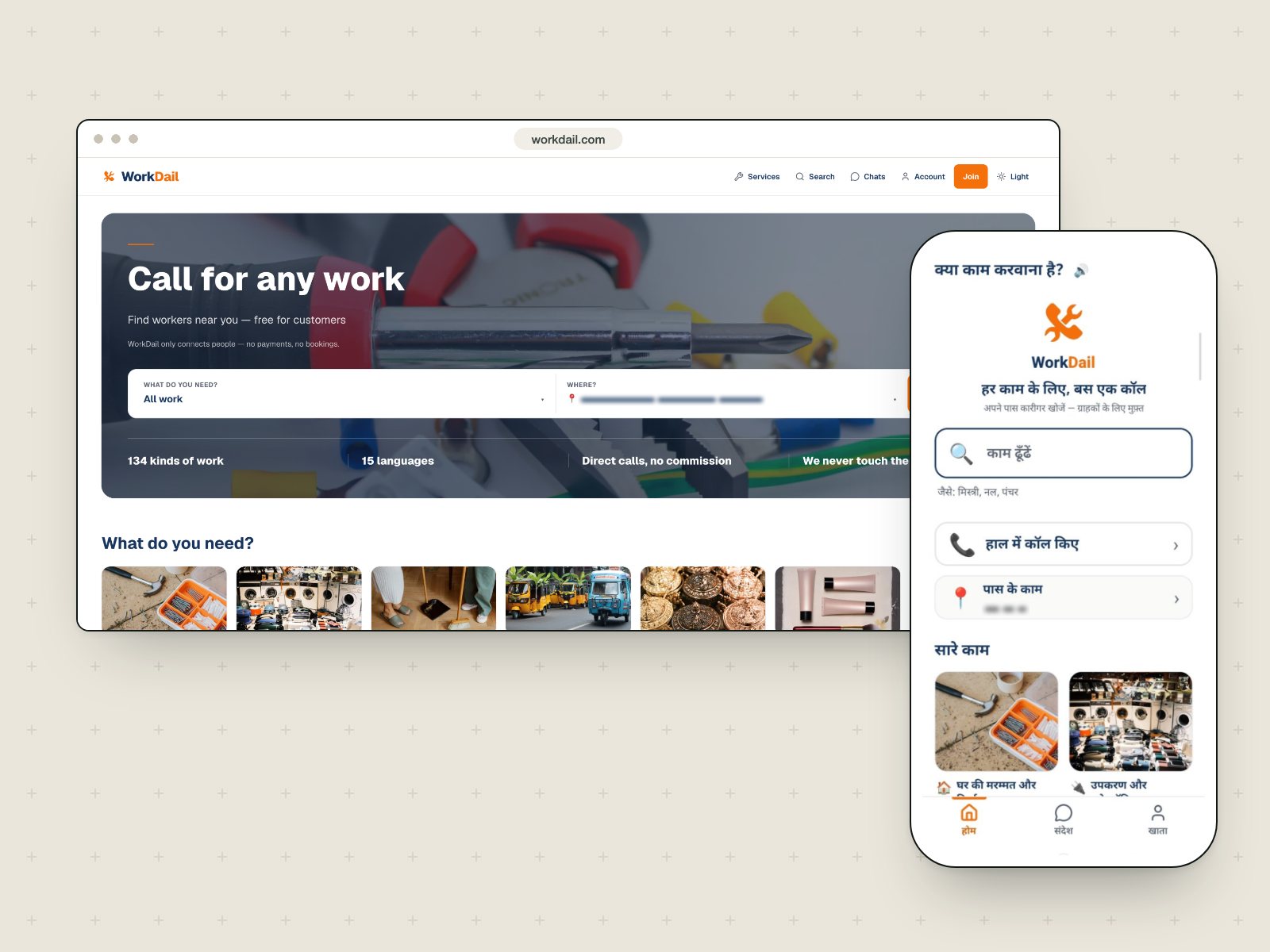
WorkDail

A Hindi-first marketplace that connects people with local skilled workers.

Web App Store Google Play India only

Have a project in mind?

Tell us what you want to build, and we will reply with the next steps.